Art at First Sight | Web app
Type of work:
My role: concept, UX/UI, branding, content curation & editing
Tools: Figma, Claude Code
Build time: ~15 hours
Where it started
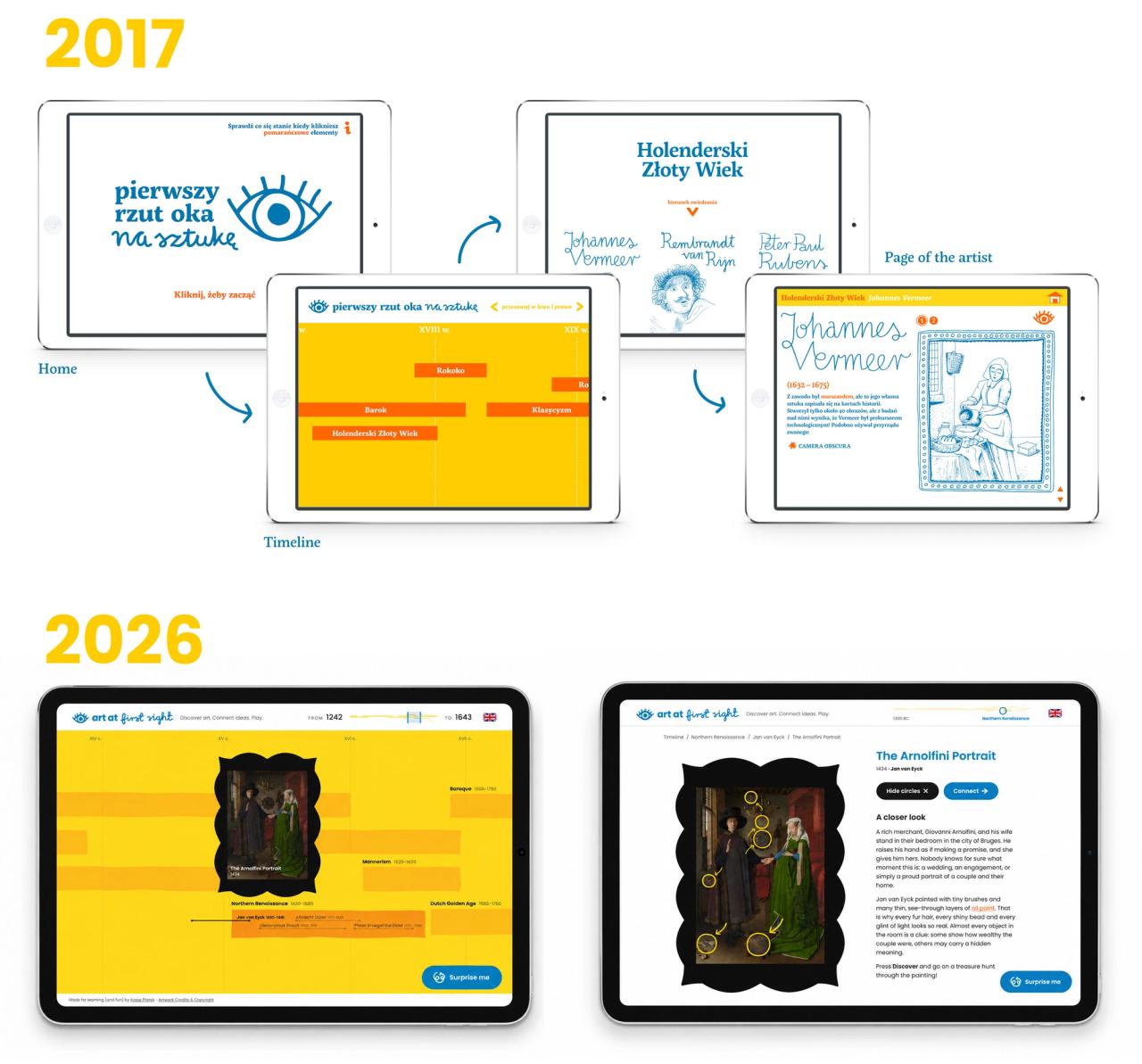
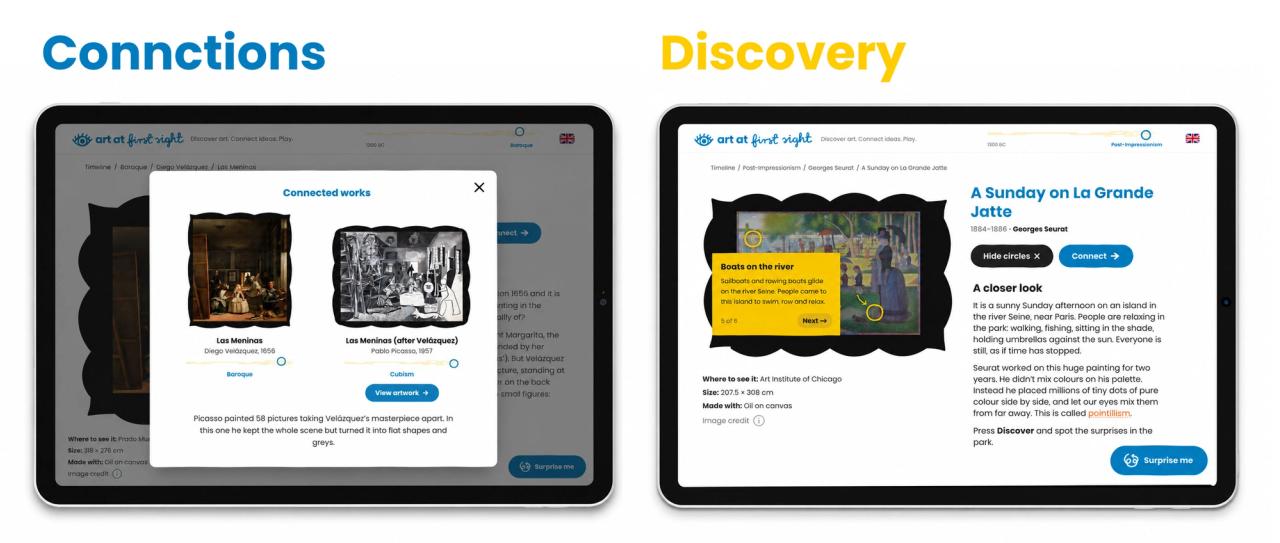
Art at First Sight began in 2017 as my MA thesis at the Academy of Fine Arts in Katowice: a set of educational materials about art history for children aged 5–12. At its heart was an app built on a simple idea: a timeline, a few key artists per period, and lots of artworks linked to each other, so kids could discover non-obvious connections between them. Around it I designed printable activity sheets, a colouring book and posters.
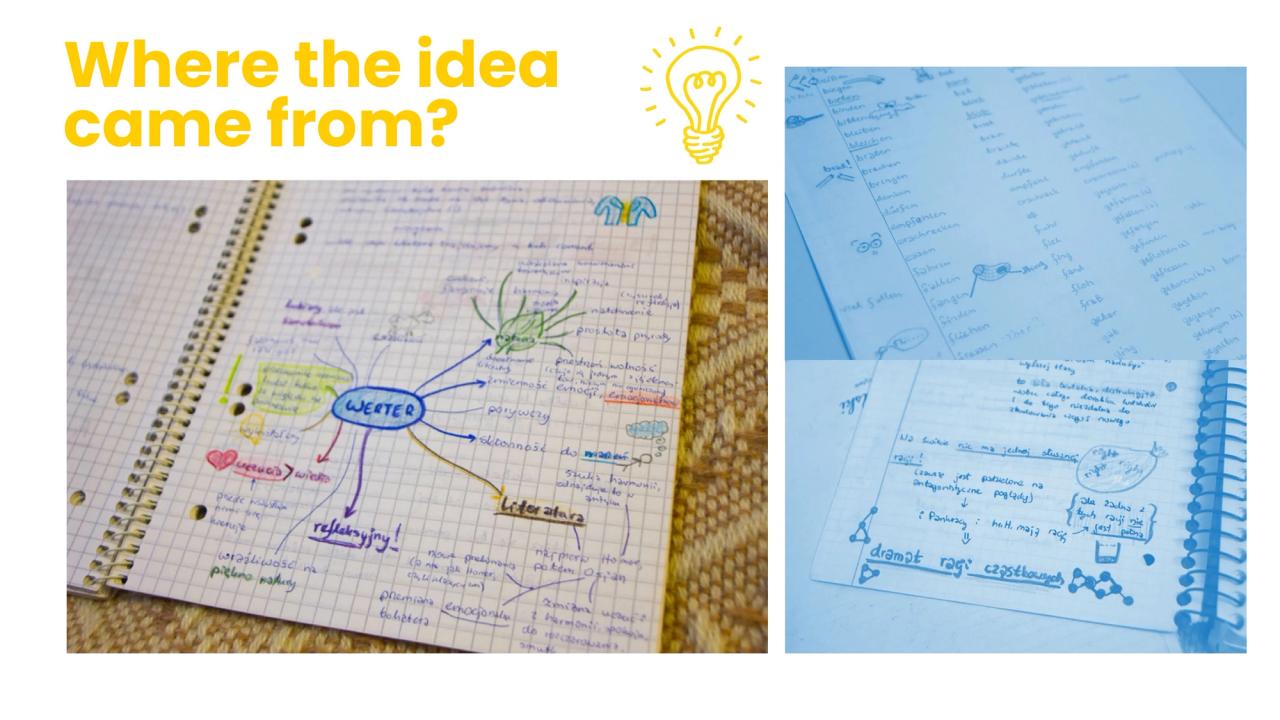
The project grew out of a childhood dream. I was the kid with perfectly organised notebooks that the whole class learned from, and I always wanted to make a textbook of my own one day. For years, it lived in my portfolio as an unrealised concept.
Why now
Two things changed since 2017. First, AI coding tools: I can now take an idea from sketch to a live product without a development team. Second, me. Years of designing websites, apps and campaigns gave me the UX/UI experience I didn’t have as a student. The 2017 interface did its job (and earned me a top grade), but it was blocky and clunky. Now it’s modern, full of character, and simply a pleasure to use. I could also finally test my decisions on a working product instead of a static mockup. The project is sp much better for it.
Rethinking the concept
This time I focused on the app itself. I’m not a historian, and this isn’t meant to be an encyclopedia. The content draws on my art history background and passion for it, with AI helping to structure it and point out works I might have missed. So instead of pretending to be an authoritative source, the app became a playground: a space where kids can browse, follow their curiosity, hit “Surprise me” and learn through play.
Artworks come from Wikimedia and the public domain. Newer works appear under the right to quote for educational purposes, and everything is credited on a dedicated page.
Working with AI
Claude Code wrote the code, and AI drafted most of the artwork descriptions.
Left to itself, AI would have produced one more generic timeline UI: clean, correct, and forgettable. The character of this project comes from small human decisions:
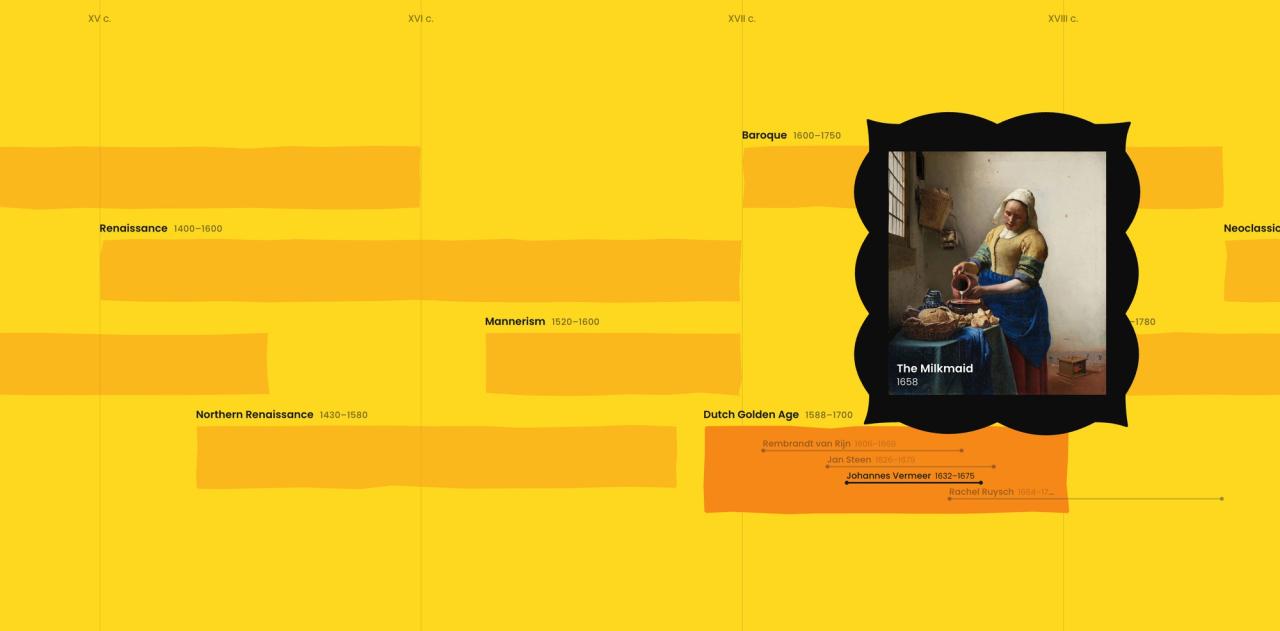
- Slightly uneven timeline lines that feel hand-drawn rather than generated, yet there are made directly in code.
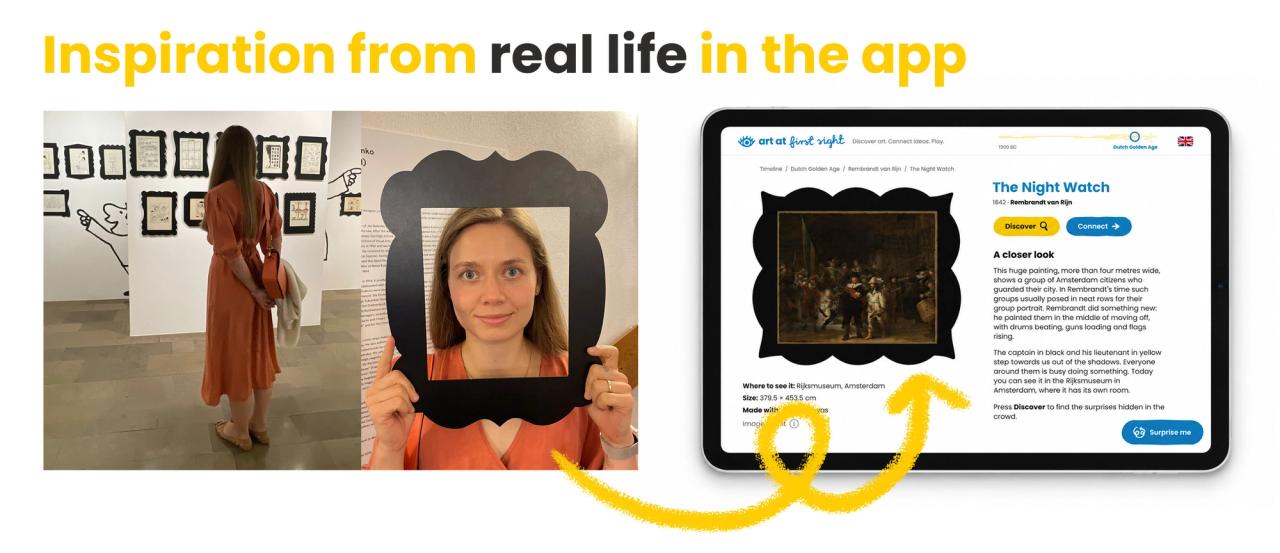
- Frames around the artworks inspired by comic art frames I saw at an exhibition years ago.
- A full brand, not just a palette: a hand-lettered logo, my own line illustrations and brave color palette. Together they make the app feel like a place to play, not a museum archive.
What’s live
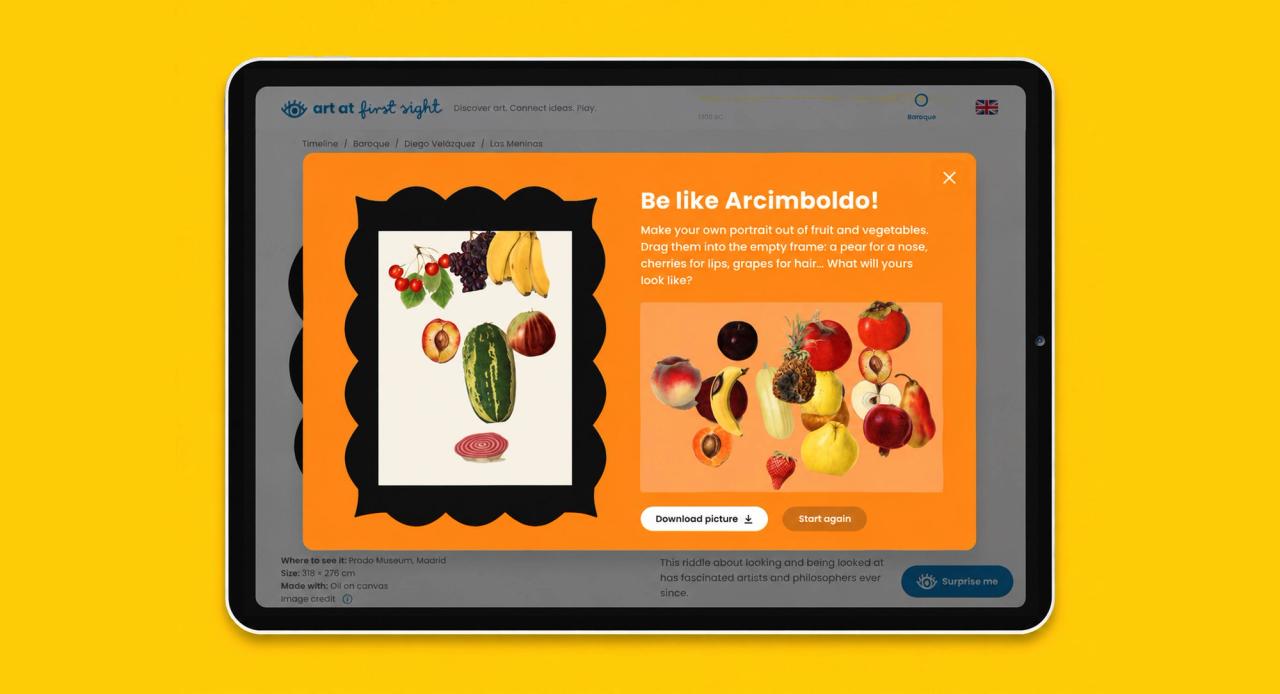
An interactive timeline from Antiquity to today, many connections between artworks, Surprise me button to discover art and last but not least – Play section with art games. New games are on the way.
What I learned
AI is an excellent workhorse, but without close supervision and attention to detail, the result is merely decent, and as a designer, I’d rather aim for brilliant. What I gained is a new skill: I can build and ship my own ideas. The ideas, the taste, and a million small decisions based on years of experience (as a designer and as a human interacting with things) are what make this collaboration worth the effort. And the tokens.